Everything in Still, one page.
Seven parts, the same seven the illustrated guide in the app walks you through. Everything you write stays an ordinary Markdown file in your own folder.
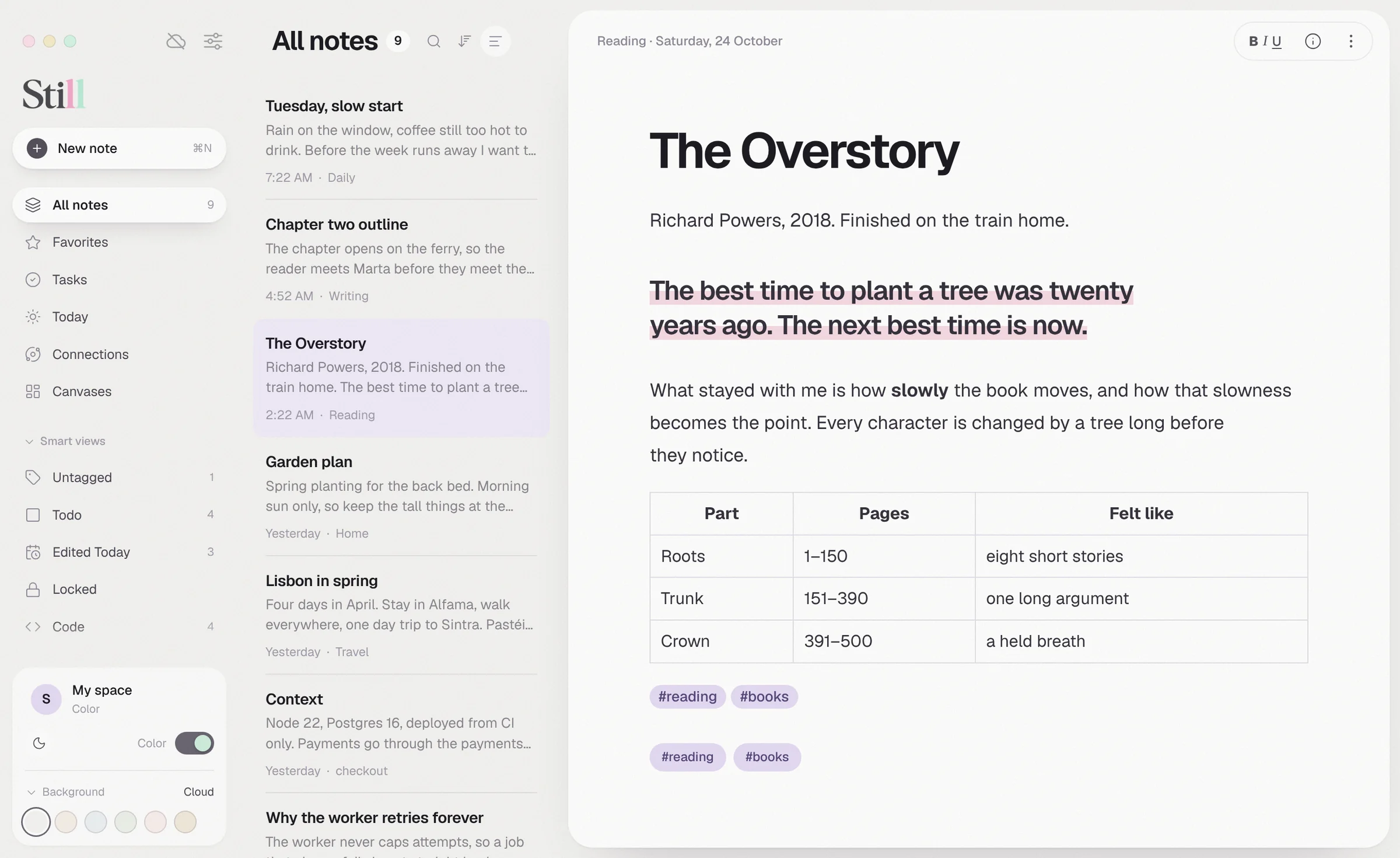
Write beautifully
Every mark is plain Markdown. The line with your cursor shows its symbols, and they fade again when you move on.
- Styles as you typeBold, italic, underline, ==highlight==, ~~strike~~, footnotes, tables, code and tasks.
- A menu for everythingType / at the start of a line for headings, a task, a quote, a code block, a table or a divider.
- SuggestionsType # for your tags and [[ for your notes.
- Type that feels rightGeist or Geist Mono, your own size, line height and page width, and typewriter mode.
- Light, dark and quietDark mode, six background tints or plain black and white, and a focus mode that hides everything but the page.
More than words
Keep photos, PDFs, voice memos and articles beside your words, as real files any app can open.
- AttachmentsDrag in files up to 100 MB. Images show in the text and as thumbnails in the note list.
- PDFs and photos of pagesText is read on your Mac, with Apple's on-device text recognition for scans. Up to 300 pages.
- Voice notesRecord up to an hour. The audio is saved first, then transcribed on your Mac.
- Web clipperKeep the article and leave the menus and ads behind, from a menu or a bookmarklet.
- In and outImport Markdown, text, HTML and Evernote files. Export a note as Markdown, PDF or a web page.
Organize and find
Notebooks give a note a place, tags give it a thread, and search finds it however you remember it.
- NotebooksFolders with their own pastel, nested as deep as you like, with five templates to start from.
- Tags#idea, nested #work/plans, #multi word tags#, or tags in the front matter.
- Smart viewsUntagged, Todo, Edited Today, Locked, Code and Trash keep themselves up to date.
- The LibraryEvery note in a table, with its notebook, tags, status and date.
| Type | To find |
|---|---|
"slow mornings" | an exact phrase |
-draft | notes without a word |
tag:work | a tag and everything under it |
notebook:ideas | notes in a matching notebook |
@todo · @done | open or finished tasks |
@images · @files | pictures or attachments |
@pinned · @locked · @today | favorites, locked notes, changed today |
Connect your thinking
Ideas grow when they meet. Link notes, see the web they make, and ask questions of everything you have written.
- Links and backlinks[[Wiki links]] with labels and headings. Rename a note and every link follows.
- ConnectionsYour notes drawn as a constellation, with a line for every link.
- CanvasesA board of cards for laying ideas out, saved as open JSON Canvas files.
- Writing partnerDraft with your own AI provider, or ask your notes and get answers with citations. You see every passage before it is sent.
Plan your days
A page for today, the tasks you scattered across your notes, and plans that land in your calendar.
- TodayOne page per day, with three small prompts to begin.
- TasksEvery open task from every note, in one list you can tick.
- AgendaWrite "lunch on 5 November from 12:30 to 2pm". Still reads it back, checks for clashes and books it in Apple Calendar or Reminders when you confirm.
Keep it safe, make it yours
Still has no servers of its own. Your notes stay in your folder, and you decide where that folder lives.
- SynciCloud Drive or Dropbox carries your notes to your other Macs. Clashing edits are kept as a separate note.
- Version history and TrashEvery change keeps the earlier version, and deleted notes wait in Trash.
- BackupsDated, verified backups to another drive, and a rehearsal that proves a full restore works.
- Locked notesAES-256 on disk, kept out of search, previews, the writing partner and agents.
- PluginsSome Obsidian plugins run through Still's own compatibility layer, only once you enable them.
For coders
Claude Code and Codex can save answers, decisions and snippets into your notes, and read your project notes back.
- Save the last answerOne key, word for word, filed under the repo you were working in.
- Notes tools for agentsAgents can search and read your notes, save new ones and work with project tasks.